Quick answer
Connect Four is a two-player connection game on an upright grid of seven columns and six rows. Players take turns dropping a disc into a column that is not full, and the disc falls to the lowest empty cell. The first player to line up four discs horizontally, vertically or diagonally wins; a full board with no line is a draw. This guide covers Connect Four. Check the movement, capture and game-ending rules below before applying rules from another variant.
- Players
- 2
- Board
- 7 × 6 squares
- First move
- White moves first.
Ruleset and sources: Connect Four
Setup
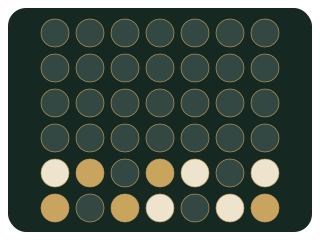
Moves and captures
Special rules
Winning and draws
Example
Sources and rule verification
- Ruleset covered
- Connect Four
- Hasbro — The Classic Game of Connect 4 (instructions)
- Fairy-Stockfish variants (implementation reference)
- Fairy-Stockfish — variant definitions (43b66c8, implementation reference)
This guide describes play on ChessPlayX. Platform-specific conventions are stated in the relevant sections; tournament administration may differ.
A separate rule-review date is not recorded for this guide. The update date is not a verification date.